
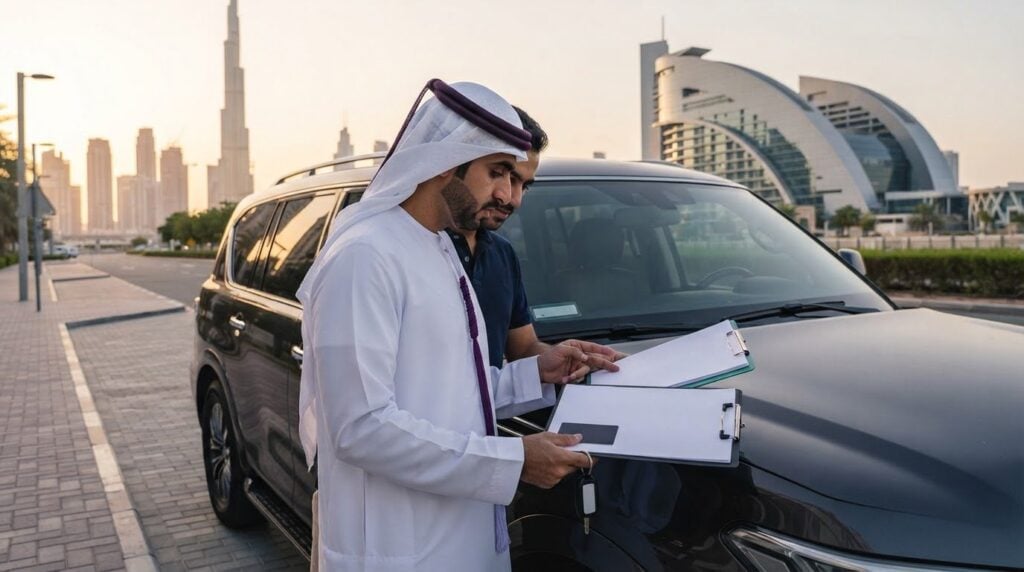
What if the rental agency’s name looks right, but the vehicle papers tell a different story? Knowing how to verify rental agency ownership papers before accepting vehicle keys means checking how the documents connect, rather than relying on one convincing paper. In the UAE, compare the rental business’s trade licence, the vehicle registration card (Mulkiya) and your rental agreement before collection.
It’s reasonable to want clear answers without turning pickup into a confrontation or making a rushed decision. Compare the business name, plate number, VIN and dates across the relevant documents. Official business and vehicle-record services can help you verify details. The important question is whether the records align, and whether any difference between the registered owner and rental business is clearly explained.
This guide explains how to verify the rental business through official records, match the vehicle’s identity and registration details to the agreement, and check who is authorised to hand over the keys. It also covers what to do if a document is missing, unclear or inconsistent, so you can decide what to do before the drive begins.
Key Takeaways
- Learn how to verify rental agency ownership papers before accepting vehicle keys by checking the business licence, vehicle registration and rental agreement as one connected record.
- Compare the agency’s legal name and licensed activity with the agreement, then use the official business-record service for the licence’s issuing emirate.
- Match the vehicle’s plate, make, model and visible VIN across the Mulkiya, the physical car and the rental agreement.
- Check that the paperwork explains who is renting you the vehicle and who is authorised to hand it over, including any differences in names.
- If a document is unclear or details conflict, pause, request legible supporting paperwork and resolve the discrepancy before signing or accepting the keys.
Before accepting the keys, identify the three documents that must connect
A mismatch between a rental company’s name and the name on a vehicle document can be unsettling, especially when collection is underway and the keys are ready. Pause before signing or driving away. A calm document check can help establish three things: the business is identifiable, the vehicle is the one described, and the rental company has a documented basis for renting it to you. A difference in names needs a clear explanation, not an immediate accusation.
Think of the paperwork as a connected record:
- Trade licence: identifies the licensed business and its recorded activity.
- Vehicle registration card: identifies the vehicle and its registered owner.
- Rental agreement: identifies the contracting rental business, renter, vehicle and rental terms.
- Supporting authorisation, if needed: explains why the registered owner and rental company have different names.
What does rental agency ownership paperwork actually prove?
A trade licence can help verify that a business exists and show its recorded activity. By itself, it does not prove that the business may rent a particular vehicle. The registration card, also called the Mulkiya in the UAE, links identifying details to the vehicle and its registered owner. For background on this document’s role, see this overview of the vehicle registration certificate.
If the registered owner differs from the company named in your agreement, request legible supporting paperwork that explains the connection, such as relevant fleet or rental authorisation. Check that it refers to the specific vehicle and the parties involved. The purpose is to understand the paper trail, not to assume that different names mean wrongdoing.
Which names and identifiers should match?
Compare the legal business name on the trade licence with the company named as the rental provider in the agreement. A trading name may look different, so ask for a clear explanation of how it connects to the licensed entity. Then compare the registration details with the car in front of you and the vehicle details in the agreement.
The complete agency-to-vehicle paper trail connects the licensed business named in the agreement, the registration card’s owner and vehicle identifiers, the physical car’s plate and visible VIN, and any relevant authorisation explaining a difference in names.
This is the core of how to verify rental agency ownership papers before accepting vehicle keys: each document should support the next, without unexplained gaps or conflicting vehicle details. If something is unclear, keep the keys on the table while you clarify it.
How to verify a rental agency’s UAE business licence
A licence image can look convincing and still leave important questions unanswered. Verify its details through an official business-record service, then compare the result with the rental agreement and payment recipient. This confirms the business information you can verify, but does not by itself establish that the company is authorised to rent a specific vehicle.
How can you check a UAE trade licence?
Use this sequence before signing or paying:
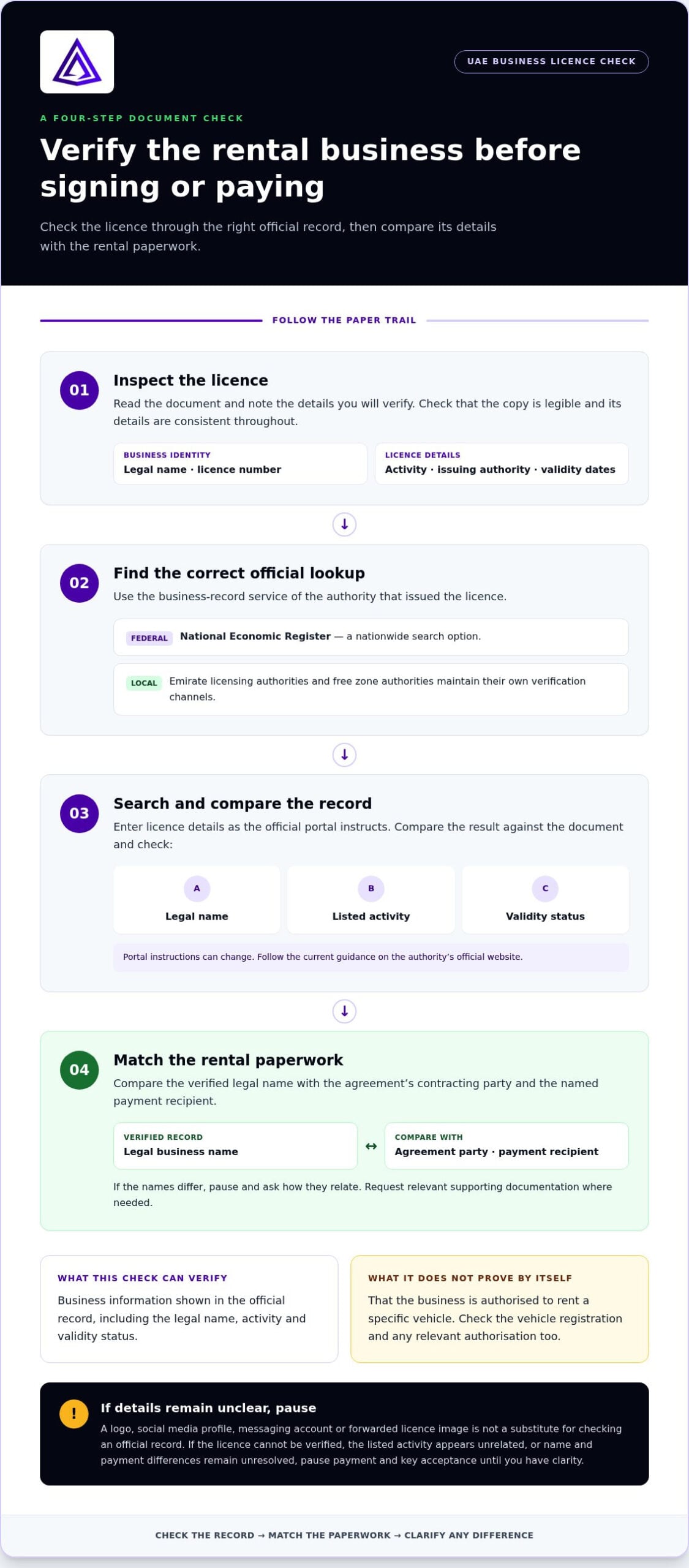
- 1. Inspect the licence. Note the legal business name, licence number, listed business activity, issuing authority and validity dates. Check that the copy is legible and the details are consistent throughout.
- 2. Identify the correct official lookup. Use the online business-record service of the authority that issued the licence. The federal National Economic Register provides a nationwide search option, while emirate licensing authorities and free zone authorities maintain their own verification channels.
- 3. Search and compare. Enter the licence details as the official portal instructs. Check that the returned record corresponds to the document, including the legal name, activity and validity status. Portal instructions can change, so follow the current guidance on the authority’s official website.
- 4. Match the rental paperwork. Compare the verified legal name with the agreement’s contracting party and the named payment recipient. If they differ, pause to understand why before proceeding.
Don’t treat a logo, social media profile, messaging account or forwarded licence image as official verification. These may help you identify a business, but they don’t replace a record checked through the issuing authority or an appropriate government register.
What if the business name differs across the documents?
Compare the English and Arabic versions of the legal name, any trade style shown on the paperwork, and the full name of the entity signing the agreement. Formatting or a trading name may explain a difference, but don’t assume that is the reason. Ask how the names relate and request relevant supporting documentation where needed.
Pay particular attention if the payment recipient is a different person or entity from the contracting party and no paperwork explains the connection. If the licence record can’t be verified, the listed activity appears unrelated, or the name and payment differences remain unresolved, pause payment and key acceptance until you have clarity.
For broader background on rental terms and consumer precautions, the US Federal Trade Commission offers consumer protection advice for car rentals. It isn’t a UAE licensing source, so use the relevant UAE official records for licence checks. For a rental discussion, message the rental team.
Match Registration Card to Rental Agreement
Once you’ve checked the business record, confirm that the paperwork describes the exact car being handed over. Compare the registration card, the physical vehicle and the rental agreement side by side. Don’t rely on a matching model name alone: a luxury fleet may include several similar vehicles, and the agreement needs to identify the car assigned to your rental.
| Detail | Registration card | Physical vehicle | Rental agreement |
|---|---|---|---|
| Plate number | Read the registered plate details. | Compare with the plates fitted to the car. | Check the listed plate number. |
| Make and model | Note the vehicle description. | Confirm the make and model match what you were shown. | Check the agreement names the same vehicle. |
| VIN | Locate the Vehicle Identification Number (VIN). | Compare it where the identifier is visible and appropriate to inspect. | Check any VIN recorded in the agreement. |
| Rental period | Not typically the rental-period record. | Confirm this is the car presented for your booking. | Check the stated rental start and end details. |
Which vehicle details should you compare before collection?
Start with the plate, then compare the make and model across all three sources. If a VIN appears on the registration card or agreement, match it to the identifier on the vehicle where it can be safely and reasonably viewed. Check each character carefully: a transposed letter or number can make two records refer to different vehicles.
Make sure the agreement clearly identifies the rental car and the relevant rental period. If a plate or identifier is missing, obscured or inconsistent, pause and request corrected or legible documentation before accepting the keys. A verbal assurance is not a substitute for resolving a mismatch in the paperwork.
What if the vehicle is not registered to the rental agency?
A different registered-owner name is a reason to review the rental authority, not automatic proof of fraud. Ask for written documentation that connects the registered owner, the rental business and the specific vehicle or transaction. Check that the names and vehicle details make sense together. Don’t assume a particular ownership or fleet arrangement is permitted without confirming the applicable requirements.
A vehicle identity match confirms which car the documents describe; a separate rental-authority check helps explain why the named agency may rent it. Both questions matter. Match the car first, then make sure the paperwork supports the agency’s role in the rental.
Handling Missing or Inconsistent Ownership Papers
A missing page or mismatched detail doesn’t automatically mean a rental is fraudulent. It does mean you should pause the handover until you understand the gap. Stay calm, keep the vehicle and paperwork unchanged, and work through the discrepancy before signing, making further payment or taking the keys.
Which warning signs justify pausing the handover?
Pause if the plate or VIN differs between the registration card, car and agreement; the agreement names an unexplained contracting entity; a document appears expired or is too unclear to read; or there’s no relevant written explanation for why the registered owner differs from the rental business. A blurry scan might be a correctable administrative issue. Conflicting vehicle identifiers or an unexplained gap in who has authority to rent the car are more material concerns.
Don’t accuse anyone of fraud based on one discrepancy. Describe what doesn’t match and ask for a clear explanation and legible supporting documents. If the explanation resolves the mismatch, review the corrected paperwork carefully. If it doesn’t, don’t proceed on verbal reassurance alone.
How should you document an unresolved concern?
Use a measured, simple sequence:
- Pause. Don’t sign an incomplete agreement or accept a different vehicle or paperwork substitution that hasn’t been explained.
- Identify the exact issue. Note which document and detail conflict, such as a different plate number or contracting-party name.
- Request legible support. Ask for an unaltered copy of the relevant document and a written explanation connecting the parties or vehicle.
- Reassess. Compare the response with the original records. Continue only if the material details are consistent and understandable.
Keep copies of the agreement and any drafts, payment records, relevant documents and messages. Record the time, the issue you raised and the response you received. Preserve originals as provided; don’t edit or annotate the source files. Store your copies through a private channel you control, and avoid sharing personal information more widely than necessary.
If key identity or authority details remain contradictory, decline the handover respectfully. Explain that you can’t proceed until the documents are clear, then leave without taking the vehicle. For a suspected forged document or immediate safety risk, use appropriate official UAE police channels; for a consumer rental dispute, consult the relevant official consumer protection authority. Use official government contact details rather than numbers sent only through an unverified account.
Once your questions are resolved, you can discuss a car rental with the team. A careful document check helps keep the decision clear, professional and in your hands.
Use this pre-key checklist for a confident luxury car rental
A few final checks can turn a paperwork review into a composed handover. Before signing, paying further or accepting the keys, make sure the business, vehicle, rental authority and payment details form a clear, consistent record. If a question remains, pause and resolve it first. A premium experience should feel considered from the paperwork to the drive.
The final five-point check before taking the keys
- Business identity: Confirm the trade licence details through the appropriate official record and compare the legal entity with the agreement.
- Vehicle identity: Match the registration card’s plate, make, model and visible VIN with the physical car and the vehicle details in the agreement.
- Rental authority: If the registered owner differs from the rental business, make sure relevant written documentation explains the connection to the vehicle and rental.
- Agreement: Check that it names the contracting business, identifies the car and states the rental period clearly. Don’t sign a blank or incomplete agreement.
- Payment recipient and records: Compare the named recipient with the contracting party, clarify any unexplained difference, and keep copies of the signed agreement and relevant handover records.
This checklist helps you spot unanswered questions; it isn’t a substitute for legal advice. Keep the process straightforward: verify the documents, ask for clarification where details don’t align, and proceed only when you understand what you’re signing and which vehicle you’re accepting. Knowing how to verify rental agency ownership papers before accepting vehicle keys gives you a clearer basis for making that decision.
Make your rental decision with confidence
Once the paper trail makes sense, you can focus on choosing a car that fits your plans. Delta Rentals Dubai offers a premium fleet that includes vehicles such as the Porsche 911 GT3 RS, Rolls-Royce Cullinan Black Badge, Ferrari and Lamborghini models. Explore the luxury car rental options at your own pace, then bring the same attention to the handover that you brought to the documents.
Ready to discuss a rental? Message the team on WhatsApp for rental assistance.
Make your final checks, then enjoy the drive
A confident handover starts with a connected paper trail. Verify the rental business through the appropriate official record, match the Mulkiya’s vehicle details to the car and agreement, and make sure any difference between the registered owner and rental company has a clear explanation. If something important is missing or inconsistent, pause and resolve it before signing, paying further or taking the keys.
That’s the practical core of how to verify rental agency ownership papers before accepting vehicle keys: confirm who you’re contracting with, which vehicle you’re receiving and what paperwork supports the rental. These checks help you make an informed decision without turning collection into a confrontation.
Delta Rentals Dubai operates under Triple D Rentals LLC, with premium models such as the Porsche 911 GT3 RS and Rolls-Royce Cullinan Black Badge in its fleet. When you’re ready to discuss a rental, discuss your luxury car rental with Delta Rentals Dubai. Take a calm, careful approach, then look forward to the journey ahead.
Frequently Asked Questions
How can I verify a car rental company’s trade licence in the UAE?
Check the licence through an official business-record service linked to its issuing authority. Record the legal name, licence number, business activity and validity dates, then compare these details with the returned record. The federal National Economic Register is one search option; emirate licensing authorities and free zone authorities may provide their own services. Follow the official portal’s current instructions, since lookup steps can differ by issuing authority.
Should the rental agency’s name match the vehicle registration card?
Not necessarily. The registration card identifies the vehicle and its registered owner, while the rental agreement names the business contracting with you. Those names may differ, but the difference should have a clear explanation supported by relevant written documentation connecting the owner, rental business and vehicle. Don’t assume a mismatch proves fraud, and don’t accept an unexplained difference as sufficient proof of rental authority.
Can a rental company rent a car registered to another person or company?
A different registered-owner name alone doesn’t establish whether the rental is authorised. Ask for legible written documentation linking the owner, the rental business and the specific vehicle or transaction, then check that the details align. Don’t rely on a verbal assurance if the paperwork leaves a gap. If you need to determine whether a particular arrangement meets current requirements, consult the appropriate UAE authority or a qualified legal professional.
What vehicle details should I check before accepting rental keys?
Compare the plate number, make and model on the registration card with the physical car and rental agreement. Check the Vehicle Identification Number (VIN) wherever it’s visible and recorded, matching the characters carefully. Confirm the agreement identifies the vehicle assigned to you and states the rental period. If an identifier is missing, unreadable or different, pause the handover and request clear documentation before accepting the keys.
What should I do if the rental agreement and registration details do not match?
Pause before signing, paying further or taking the keys. Identify the exact difference, such as a conflicting plate, VIN, vehicle description or contracting-party name, and ask for legible corrected documents or a written explanation. Compare the response with the registration card and the car. Keep relevant messages and document copies. If a material identity or authority gap remains unresolved, don’t proceed based only on verbal reassurance.
Is a photo of a trade licence or registration card enough to verify it?
No. A clear photo can help you read the details, but it doesn’t independently confirm that the document is genuine or current. Check the business licence using the appropriate official record service for its issuing authority. For the vehicle registration card, compare its identifying details with the physical car and agreement, and use an official vehicle-record service where available. Treat social profiles, logos and messaging accounts as unverified clues, not official confirmation.
Can I refuse to take the vehicle if the ownership or authorisation papers are unclear?
You can choose not to accept the keys while material document questions remain unresolved. Calmly explain which detail is unclear and request legible supporting paperwork or a corrected agreement. Don’t sign incomplete documents or accept an unexplained vehicle substitution. If you’ve already signed or paid, review the agreement and keep records of the transaction before deciding what to do next. Seek guidance from an appropriate UAE consumer authority or legal professional if needed.