
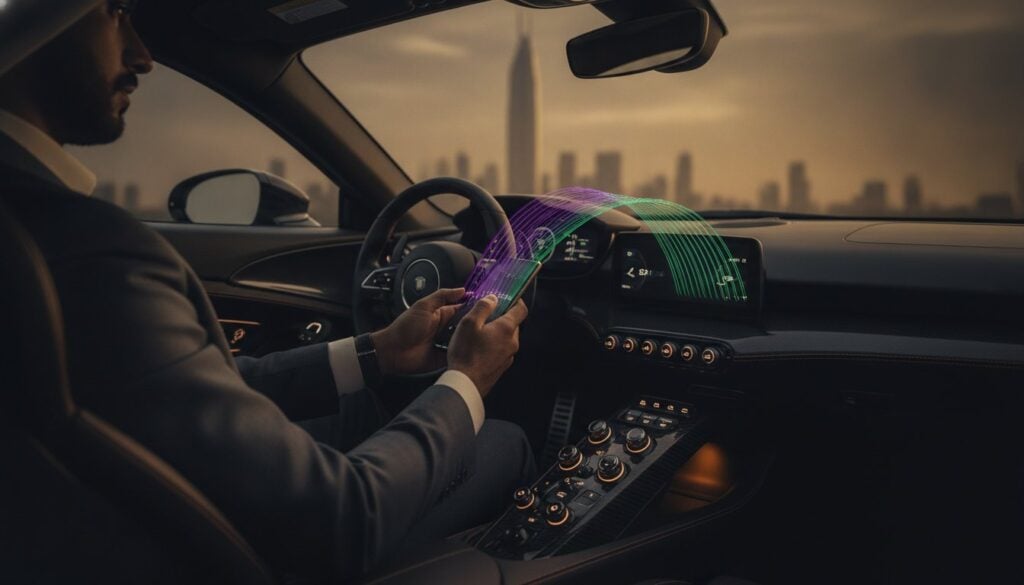
You’ve just settled into the sculpted seat of a Ferrari SF90, the engine’s idle a low growl that promises pure adrenaline, yet you’re staring at a screen that feels like a foreign language. Mastering the art of connecting your phone to a supercar’s bluetooth shouldn’t be the one thing standing between you and the perfect drive. Whether you’re dealing with the unique interface of a Lamborghini Revuelto or the bespoke systems in a McLaren, the goal is the same: effortless integration that matches the car’s performance.
It’s understandable to feel a bit of friction when high-end tech doesn’t immediately cooperate, especially when you’re used to the plug-and-play simplicity of a standard sedan. You want your high-fidelity playlists to sound flawless and your navigation to be rock solid while you’re focused on the road. This 2026 guide is designed to remove those barriers, offering a streamlined path to total connectivity. We’ll walk through the latest Bluetooth 5.4 standards, show you how to handle systems like the McLaren GTS that skip traditional smartphone mirroring, and ensure your device becomes a seamless extension of your high-performance cockpit.
Key Takeaways
- Utilize the latest Bluetooth 5.4 and 6.0 protocols to ensure a stable, low-latency connection that remains consistent even during high-performance maneuvers.
- Identify whether your vehicle uses Porsche Communication Management or the McLaren MIS to navigate bespoke menus with professional efficiency.
- Master the nuances of connecting your phone to a supercar’s bluetooth while understanding when a physical USB-C connection is required for peak audio fidelity.
- Eliminate technical friction by clearing previous device caches in rental vehicles, ensuring your personal data and navigation history remain private and secure.
- Benefit from expert technical assistance during your vehicle handover to achieve a seamless integration of your smartphone before you even leave the driveway.
Why Bluetooth Integration Defines the Modern Supercar Experience
In a 2026 supercar, your smartphone is no longer just a peripheral; it’s the central nervous system of the driving experience. While the engine provides the raw power, your device delivers the intelligence, maps, and atmosphere needed for a high-performance journey. Connecting your phone to a supercar’s bluetooth is the critical first step in transforming a mechanical masterpiece into a personalized command center. It allows you to merge the visceral thrill of a 600-horsepower engine with the sophisticated digital lifestyle you expect. This integration is about more than just convenience. It’s about ensuring that every aspect of the vehicle responds to your preferences the moment you hit the starter button.
Safety remains the most compelling reason to prioritize a solid wireless link. When you’re managing the explosive acceleration of a vehicle like the Ferrari SF90, your focus belongs on the apex of the next corner, not your touchscreen. Modern hands-free systems are essential when handling high-horsepower machines. They ensure that communication remains effortless, allowing you to manage calls and navigation without lifting a finger from the carbon-fiber steering wheel. High-performance driving requires total concentration; a reliable Bluetooth connection provides exactly that by removing digital distractions.
There’s also a unique harmony in balancing a V12 roar with a high-fidelity soundtrack. Elite vehicles now feature acoustic engineering that allows digital audio to complement, rather than compete with, the exhaust note. Achieving this balance requires a stable, high-bandwidth connection that can handle lossless audio formats without skipping or lagging during rapid gear changes.
The Evolution of Exotic Infotainment
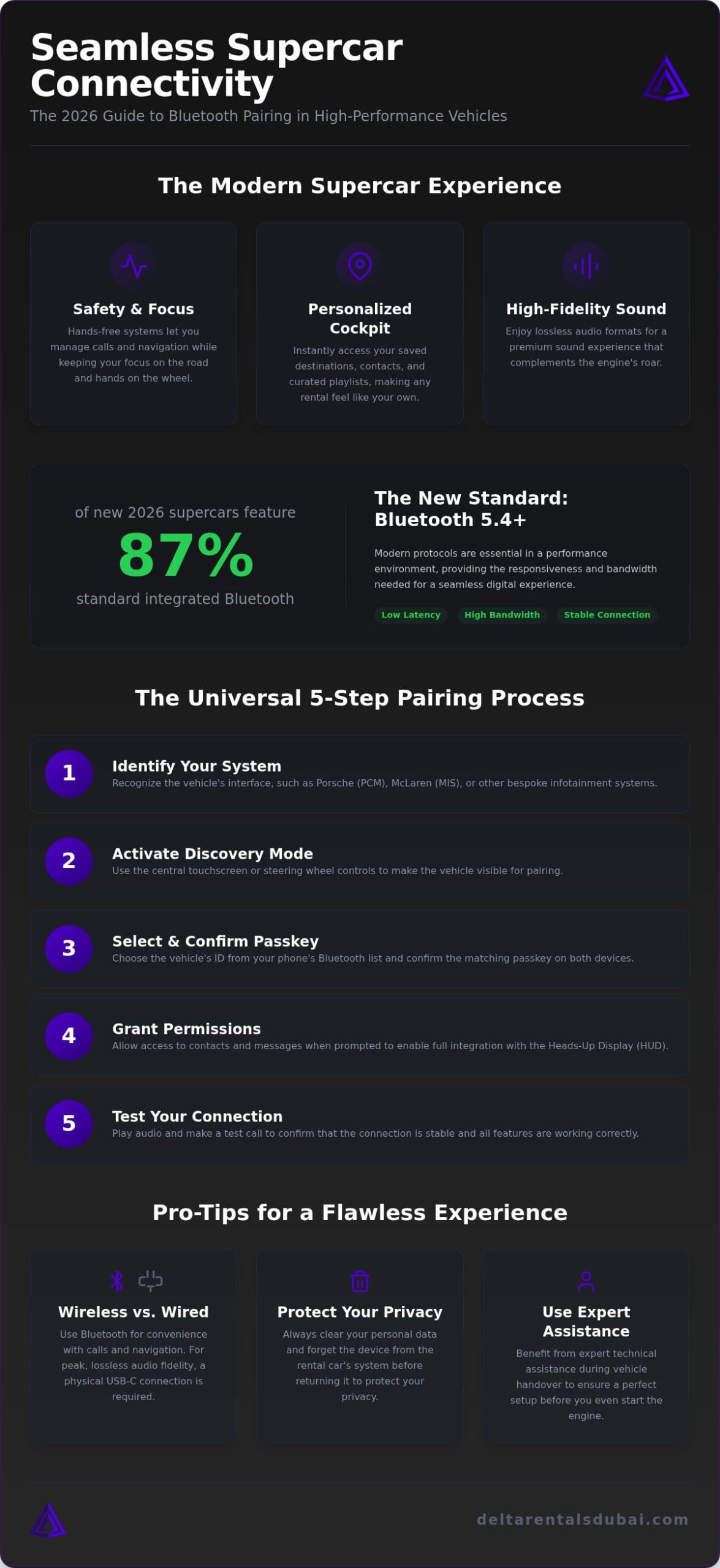
Ferrari and Lamborghini have moved away from clunky, proprietary menus toward fluid, driver-centric ecosystems. The 2026 model year has seen a significant shift, with approximately 87% of new production vehicles now featuring Bluetooth as a standard, deeply integrated feature. Most of these elite machines utilize the latest Bluetooth technology standard, specifically versions 5.4 or 6.0. These updates are vital for a performance environment. They offer the low-latency connection required for real-time data sync and lossless audio streaming, ensuring the digital interface feels as responsive as the throttle.
Personalising Your Temporary Cockpit
Syncing your device is the defining moment when a high-end rental feels like your own. At Delta Rentals Dubai, we recognize that international elites require immediate access to their personal data and familiar navigation tools for a seamless national travel experience. Setting the mood for an elite driving tour starts with your own interface. By connecting your phone to a supercar’s bluetooth, you gain instant access to saved points of interest and curated playlists, making the transition into a high-status lifestyle feel completely natural and immediate.
Pairing Your Device with Elite Infotainment Systems
Connecting your phone to a supercar’s bluetooth doesn’t have to be a complex operation. Every elite manufacturer designs their interface to be an extension of the driver, yet each brand has its own digital logic. The first step is identifying whether you’re working with Porsche Communication Management (PCM), McLaren’s MIS, or the bespoke systems found in a Ferrari. Most 2026 models utilize a central touchscreen or steering wheel toggles to activate “Discovery” mode. Once the vehicle ID appears on your smartphone, confirm the passkey immediately to establish the handshake. This foundational setup of Bluetooth in a Car is what allows for the high-speed data transfer required for modern exotic cockpits.
By connecting your phone to a supercar’s bluetooth, you unlock the full potential of the vehicle’s Heads-Up Display (HUD). You must grant permissions for contacts and messages when prompted on your phone. Without this step, the vehicle cannot project turn-by-turn directions or caller ID directly into your line of sight. This integration is vital for maintaining high speeds while staying informed. If you’re ready to experience this tech firsthand, you can speak with our team about a Ferrari or Lamborghini rental to see how these systems perform on the road.
Porsche Communication Management (PCM) Setup
The Porsche 911 GT3 RS features one of the most responsive systems on the market. To pair quickly, navigate to the “Device Manager” on the central PCM screen. Porsche prioritizes efficiency, so you can set your primary smartphone as the dominant device for both calls and data. In 2026 models, wireless Apple CarPlay and Android Auto are designed to activate the moment you enter the cabin, provided the initial Bluetooth pairing is successful. It’s a brisk, reliable process that aligns with Porsche’s performance-first philosophy.
Lamborghini and Ferrari Connectivity
Ferrari models like the SF90 utilize “Manettino-adjacent” touch controls on the steering wheel. You’ll often find the Bluetooth menu tucked within the digital instrument cluster rather than a central screen. Lamborghini’s Revuelto takes a different approach, encouraging sync through the Unica app ecosystem for a more integrated telemetry experience. If you encounter a “Pairing Failed” message, it’s usually due to a crowded device list. Clear the “Previous Device” cache in the settings menu to create a clean slate. At Delta Rentals Dubai, our specialists ensure this cache is cleared before every handover, providing you with a frictionless start to your journey. For models like the 2027 McLaren GTS, which lacks CarPlay, a direct Bluetooth connection is the only way to ensure your curated soundtrack plays through the cabin speakers.
Wireless vs. Wired: Choosing the Best Connection for Performance
Deciding between a wireless sync and a physical cable is a choice that impacts both the aesthetic and the audio quality of your drive. While 2026 supercars offer the most advanced wireless protocols available, the right choice depends on your specific driving mission. When you’re connecting your phone to a supercar’s bluetooth, you’re prioritizing speed and a clutter-free environment. This is ideal for short urban transitions where convenience is king. However, for those who demand the absolute peak of audio performance, the physical port remains a critical tool in the cockpit.
Signal stability is a factor that many standard guides overlook. During aggressive acceleration or high-speed maneuvers, the electromagnetic environment within a performance cockpit can occasionally cause wireless “drop-outs.” While the latest Bluetooth 5.4 and 6.0 standards have significantly reduced these interruptions, a wired connection provides a level of stability that wireless cannot yet match perfectly. This is particularly important when you’re relying on real-time navigation during a long-distance national drive, where a lost signal could mean a missed turn at high speed.
Battery management is another practical consideration. High-fidelity streaming and GPS usage are power-intensive. While many 2026 models from brands like Ferrari and Lamborghini feature wireless charging pads, they often generate heat that can lead to device throttling. A physical USB-C connection solves this by providing simultaneous high-speed charging and data transfer, ensuring your device remains cool and fully functional throughout the day.
The Case for Wireless Freedom
The primary advantage of a wireless setup is the preservation of the car’s interior design. In a minimalist McLaren Artura cabin, wires can feel like an intrusion on the ergonomic flow. Wireless systems offer immediate connection the moment you enter the vehicle, allowing you to focus entirely on the road ahead. It’s the perfect solution for quick trips where the slight compression of audio data is a fair trade for the ease of an automated handshake. If you value a clean, “digital-first” cockpit, connecting your phone to a supercar’s bluetooth is the superior choice.
Optimising for High-Fidelity Audio
For audiophiles and track enthusiasts, the wired connection is the gold standard. A physical cable allows for the transmission of lossless audio, ensuring that every nuance of a high-resolution track is delivered through the vehicle’s premium sound system. Track-inspired models like the Porsche 911 GT3 RS benefit from this secure link, as it eliminates any potential for latency in navigation prompts or audio lag. At Delta Rentals Dubai, we provide the necessary hardware to ensure you can choose the connection that best suits your driving style, whether you’re chasing lap times or a perfect sunset.
Overcoming Technical Hurdles in Exotic Vehicles
High-performance vehicles demand high-performance technology, but even the world’s most exclusive infotainment systems can experience a digital hiccup. If you’re having trouble connecting your phone to a supercar’s bluetooth, the culprit is often a saturated device list. Exotic cars, especially those in elite rental fleets, can accumulate dozens of previous profiles. When the system’s memory is full, it may fail to broadcast its ID or reject new pairing requests. Clearing the “Previous Device” cache in the settings menu is the most effective way to establish a clean, immediate handshake with your smartphone.
Interference can also play a role in a performance cockpit packed with carbon fiber and high-frequency sensors. If you experience choppy audio, check for other active Bluetooth devices or high-powered radar detectors that might be crowding the signal. Should the interface freeze entirely, you can usually perform a soft reset of the infotainment system without affecting your vehicle’s performance settings or active drive modes. In most 2026 models, this involves holding the volume dial or power button for ten seconds until the screen cycles. It’s a quick fix that restores functionality without requiring a trip to a service center.
Common Bluetooth Glitches
One frequent frustration is a lag between audio and video when using social media apps while parked. This is often due to the vehicle’s signal processing prioritizing call quality over media sync. To fix this, ensure your vehicle’s firmware is compatible with your phone’s latest OS update. If your contacts aren’t appearing on the dashboard, double-check your phone’s Bluetooth settings for the vehicle profile. You must explicitly toggle “Sync Contacts” on your device for the car to display your address book. If you need immediate technical support during your journey, contact our concierge team via WhatsApp for expert troubleshooting.
Privacy and Security for Renters
Privacy is a priority for the international elite. When connecting your phone to a supercar’s bluetooth, the vehicle may cache your recent calls and navigation history. Before returning your vehicle to Delta Rentals Dubai, take a moment to unpair your device and select the “Delete All User Data” option in the system settings. This ensures your personal information isn’t accessible to the next driver. We also recommend disabling automatic cloud syncing in the vehicle’s guest profile to keep your digital footprint secure while enjoying a high-status driving experience.
Effortless Integration: The Delta Rentals Concierge Experience
Delta Rentals Dubai acts as your high-status partner, ensuring that your transition into a luxury lifestyle is completely frictionless. We understand that your time is your most valuable commodity. That’s why our concierge experience begins the moment we hand over the keys. Instead of you navigating unfamiliar menus, our specialists handle the technical setup for you. We ensure your device is synced, your navigation is active, and your audio profile is optimized before you even leave the driveway. This proactive approach allows you to focus on the road ahead while we manage the digital logistics.
Our no-deposit supercar rental model removes traditional industry friction, while our tech-focused preparation removes digital hurdles. Whether you’re stepping into a McLaren Artura or a Rolls Royce Cullinan Black Badge, the vehicle is ready to drive and fully integrated with your smartphone. This commitment to excellence is why we’ve earned over 300 five-star Google reviews. We prioritize client convenience above all else, providing a transparent and reliable service that international elites have come to trust for their national travel needs.
Our Commitment to Seamless Travel
We provide a personalized walkthrough of the entire infotainment ecosystem for every vehicle in our fleet. Every client receives a curated orientation that covers the specific nuances of their chosen model. If you’re connecting your phone to a supercar’s bluetooth in a Porsche 911 GT3 RS, we’ll show you how to prioritize your device in the PCM manager. If you’re in a Ferrari SF90, we’ll guide you through the steering wheel touch controls. Our goal is to make these high-tech systems feel like a natural extension of your own device.
Support doesn’t end at the handover. We offer 24/7 technical assistance to ensure your connectivity remains flawless throughout your hire. If a mobile OS update or a temporary glitch occurs while you’re on a long-distance drive, our team is just a quick message away. We provide immediate solutions so your high-fidelity soundtrack and navigation never miss a beat.
The Delta Advantage
Choosing Delta Rentals Dubai means accessing an elite fleet that stays updated with the latest 2026 automotive technology. Our vehicles are maintained to the highest standards, ensuring every Bluetooth sensor and digital interface functions at peak performance. By connecting your phone to a supercar’s bluetooth through our concierge service, you bypass the learning curve and move straight to the experience. Ready to experience track-bred excellence? Book your next drive today and discover the most transparent and helpful luxury rental experience in the UAE.
Secure Your High-Performance Digital Cockpit
Mastering the technical nuances of connecting your phone to a supercar’s bluetooth ensures your driving experience is as sophisticated as the vehicle’s engineering. Prioritizing high-fidelity connections and maintaining your digital privacy transforms any rental into a personalized command center. Whether you’re chasing the V12 roar in a Ferrari or the refined silence of a Rolls Royce, seamless integration is the final touch in elite national travel. You’ve learned how to navigate bespoke menus and when to opt for wired stability. Now, it’s time to put that knowledge into practice on the open road with total confidence.
Don’t let technical friction slow you down. Rely on a partner backed by 300+ 5-star Google reviews and a no-deposit luxury car rental model that values your time and status. We offer elite national UAE coverage and a fleet that includes the latest 2026 performance models, all prepped for immediate integration. Experience seamless luxury and track-bred performance with Delta Rentals Dubai. Your next high-status adventure is waiting; we’ll ensure the soundtrack and navigation are perfect before you even hit the throttle.
Frequently Asked Questions
Can I connect multiple phones to a supercar’s Bluetooth simultaneously?
Most modern infotainment systems, including those in the Porsche 911 GT3 RS, allow you to pair several devices, but they typically only support one active connection for media streaming at a time. Some 2026 models allow a “split” connection where one phone handles calls while another manages the soundtrack. If you’re traveling with a partner, you can toggle between prioritized devices in the manager menu to switch control effortlessly and keep the music flowing.
Why is my phone lagging when connected to a Lamborghini’s infotainment system?
Lag is often caused by a crowded Bluetooth environment or an overloaded device cache in the vehicle’s system. If you experience delays while connecting your phone to a supercar’s bluetooth, try clearing previous pairings to free up system memory. Additionally, ensure your smartphone’s operating system is updated to the latest 2026 version. High-performance cockpits contain significant electronic shielding that can occasionally interfere with older wireless protocols, so using a newer device is always recommended.
Does Apple CarPlay work wirelessly in the Porsche 911 GT3 RS?
Yes, wireless Apple CarPlay is a standard feature in the 2026 Porsche 911 GT3 RS. The Porsche Communication Management (PCM) system is designed for immediate, cable-free integration the moment you enter the cabin. While the wireless connection is highly stable, some performance drivers still prefer a physical USB-C link to ensure zero latency during high-speed navigation. This dual-capability ensures you have the freedom to choose the connection that best suits your specific driving style and mission.
How do I delete my personal data from a rental car’s Bluetooth system?
Protecting your privacy is essential when using a premium rental for your national travel. Before returning the vehicle, navigate to the Bluetooth settings and select “Forget Device” on your phone. In the car’s infotainment menu, locate the “Reset” or “Privacy” section and choose “Delete All User Data.” This action wipes your call history, contacts, and navigation destinations. Our concierge team can also assist you with this process during the handover to ensure your digital footprint is removed.
Will using Bluetooth drain my phone battery faster in a high-performance car?
Streaming high-fidelity audio and running real-time navigation via Bluetooth will consume battery life faster than idle use. Most elite vehicles, such as the McLaren Artura, feature integrated wireless charging pads to mitigate this drain. However, these pads can generate heat during long-distance national drives across the country. For the best results, we recommend a physical connection if you plan on using power-intensive apps for several hours to keep your device cool and fully charged throughout the trip.
What should I do if the supercar’s Bluetooth passkey is not appearing?
If the passkey fails to appear, first ensure your phone is in “Discovery” mode and the vehicle’s system is actively searching for new devices. A common fix is to toggle the Bluetooth setting off and on for both the car and your smartphone. If the issue persists, a soft reset of the infotainment screen usually resolves the handshake error. This simple step clears temporary glitches without affecting the vehicle’s performance settings or active drive modes during your journey.
Is audio quality better via Bluetooth or a USB-C cable in a luxury vehicle?
While connecting your phone to a supercar’s bluetooth using the 5.4 or 6.0 standard provides excellent quality, a USB-C cable remains the gold standard for audiophiles. Physical cables support lossless audio formats that wireless protocols often compress. In a high-end cabin like the Rolls Royce Cullinan, a wired connection ensures you hear every nuance of a high-resolution track. For casual listening, Bluetooth is more than sufficient, but for peak fidelity and stability, the cable is superior.
Can I use voice commands through Bluetooth to control the car’s navigation?
Yes, most modern supercars fully support voice commands once your phone is paired. You can use native assistants like Siri or Google Gemini to set destinations, change tracks, or send messages hands-free. This integration is vital for maintaining focus when handling high-horsepower vehicles. The vehicle’s steering wheel usually features a dedicated voice activation button that triggers your phone’s assistant, allowing for a seamless and safe interaction with the car’s navigation and media systems.